
GMB Optimisation: Complete Guide to Rank Your Business Locally
GMB Optimisation Services is the process of setting up, improving, and managing your Google Business Profile so your business shows up when local customers search on Google and Google Maps. For a shop in Gulberg, a clinic in DHA Karachi, or a service business in Islamabad, this single profile often determines whether a customer calls you or your competitor.
What is GMB and Why Do You Need It?
What is a GMB profile? A GMB profile, officially called a Google Business Profile, is a free listing that shows your business details on Google Search and Google Maps. It lets nearby customers find your address, call you, check your hours, and read reviews without visiting your website.What does GMB stand for? GMB stands for Google My Business. Google renamed the platform to Google Business Profile in 2021, though most people still search using the older term GMB.Small and medium businesses need this listing because most local searches happen on mobile, often when someone is already nearby and ready to visit or call. A missing or incomplete profile means Google has less reason to show your business at all.
Essential GMB Services Every Business Should Set Up
GMB Optimisation Services Setting up your GMB services correctly from the start avoids problems later. This includes choosing your business categories, listing your services and pricing where possible, and writing an accurate description.Your primary category should describe exactly what your business does, not a broad label. A dental clinic should choose “Dental Clinic,” not just “Healthcare.” Google allows extra secondary categories too, so a bakery that also sells coffee can add both categories to appear in more relevant searches. Adding a full list of services, with short descriptions and pricing where possible, helps Google match your listing to specific searches like “AC repair near Model Town” instead of just “AC repair.”
How do I create a Google Business Profile (GMB)?
Go to google.com/business, sign in with a Google account, enter your business name and category, add your address or service area, then verify your business through phone, email, or a postcard. Once verified, your listing appears on Search and Maps.
Leveraging GMB for Better Local Visibility
Google's local results, often called the map pack, show three businesses at the top of the map for most local searches. Getting into this map pack usually matters more for calls and visits than ranking on page one of normal search results.
How Google Ranks GMB Listings
These three words come directly from Google's own local ranking guidelines. Proximity means how close your listed address or service area is to the person searching. Relevance means how closely your categories and services match the search term. Prominence means how well known and trusted your business appears online, based mostly on reviews and mentions.
Top GMB Ranking Signals in 2026
Top Signals: Review count/rating, exact categories, and consistent NAP details. Review Impact: Listings with 40+ reviews and 4.5+ stars rank in the map pack far more often. NAP Consistency: Identical name, address, and phone details across web directories prevent ranking drops.
Complete GMB Optimization Checklist
Ongoing Effort: GMB optimization requires regular attention, including complete profile fields, real location photos, correct service areas, and accurate holiday hours. Checking for a Profile: Search your business name and city on Google or Google Maps to see if an existing profile or map pin appears.
Daily GMB Signals Google Actually Tracks
Google tracks how often people call you, click through to your website, ask for directions, or interact with a Google Post from your profile. These actions, called customer actions inside your GMB Insights, show Google that real people are engaging with your business, which supports better placement over time.
Why Your GMB Profile Matters for Local Growth
- A GMB profile is what appears when someone searches for a business like yours nearby. It shows your name, address, phone number, hours, photos, and reviews directly on the search page, before the person even opens your website. Google’s own guidance confirms that local ranking depends on three factors: relevance, distance, and prominence. Your profile is the main tool you control to influence all three.
- A complete and active listing drives phone calls, direction requests, and website clicks straight from the search results. Businesses that keep their profile updated with correct hours, real photos, and fast replies to reviews tend to appear more often in the local map results than businesses that leave their listing untouched.
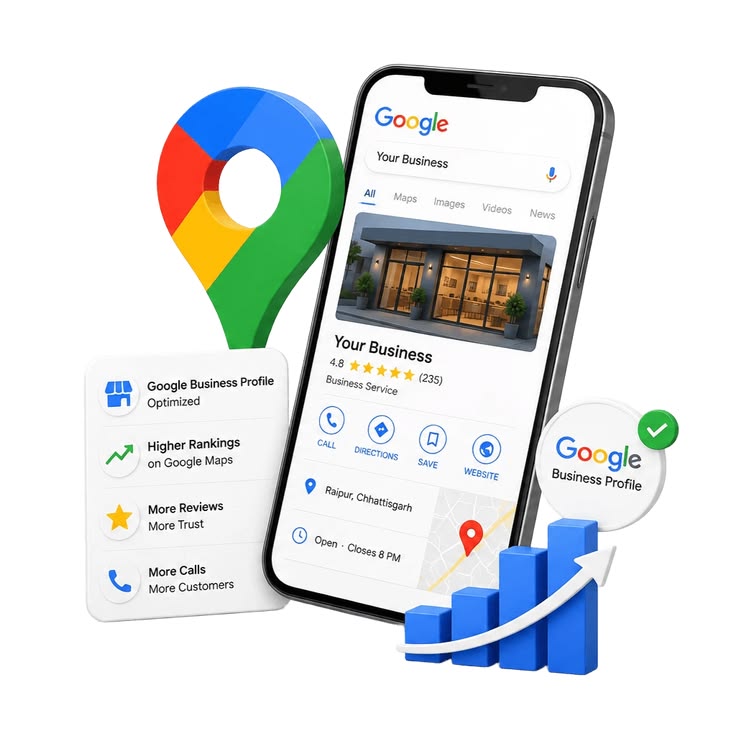
What is GMB and Why Do You Need It?
What is a GMB profile? A GMB profile, officially called a Google Business Profile, is a free listing that shows your business details on Google Search and Google Maps. It lets nearby customers find your address, call you, check your hours, and read reviews without visiting
What does GMB stand for? GMB stands for Google My Business. Google renamed the platform to Google Business Profile in 2021, though most people still search using the older term GMB.
Small and medium businesses need this listing because most local searches happen on mobile, often when someone is already nearby and ready to visit or call. A missing or incomplete profile means Google has less reason to show your business at all.
Essential GMB Services Every Business Should Set Up
Setting up your GMB services correctly from the start avoids problems later. This includes choosing your business categories, listing your services and pricing where possible, and writing an accurate description.
Your primary category should describe exactly what your business does, not a broad label. A dental clinic should choose “Dental Clinic,” not just “Healthcare.” Google allows extra secondary categories too, so a bakery that also sells coffee can add both categories to appear in more relevant searches. Adding a full list of services, with short descriptions and pricing where possible, helps Google match your listing to specific searches like “AC repair near Model Town” instead of just “AC repair.”
How do I create a Google Business Profile (GMB)? Go to google.com/business, sign in with a Google account, enter your business name and category, add your address or service area, then verify your business through phone, email, or a postcard. Once verified, your listing appears on Search and Maps.
Leveraging GMB for Better Local Visibility
Google’s local results, often called the map pack, show three businesses at the top of the map for most local searches. Getting into this map pack usually matters more for calls and visits than ranking on page one of normal search results.
A simple checklist to keep your GMB active: post an update at least once a week, reply to every review within a few days, upload new photos monthly, and answer any questions left in the Q&A section. These are small, repeatable actions, but Google reads them as proof that your business is real, open, and responsive.
Local SEO Services in Lahore, Karachi, Islamabad and Pakistan
MSdevseo provides local SEO services in Lahore (including Gulberg, DHA, Johar Town, and Model Town), local SEO services in Karachi, and local SEO services in Islamabad, with strategies tailored to each city’s specific competition and search behavior — a bakery competing in Gulberg faces different local competition than one in Bahria Town, and our keyword and citation strategy reflects that.
Our GMB Optimization Process
GMB Audit & Analysis
Reviewing your current Google Business Profile health, NAP consistency, and local visibility.
Competitor Map Research
Analyzing top-ranking local competitors in the Map Pack to find out why they outrank you.
Category & Setup
Optimizing primary/secondary categories, business descriptions, and core profile attributes.
Geo-Tagged Photos
Uploading regular geolocated photos and updates to signal active business engagement.
Citation Building
Securing accurate local directory citations and NAP consistency across the web.
Review Management
Implementing ethical review acquisition strategies and keyword-rich customer replies.
Rank Tracking
Monitoring local map pack rankings, phone calls, and direct direction requests.
How Google Ranks GMB Listings: Proximity, Relevance and Prominence
These three words come directly from Google’s own local ranking guidelines. Proximity means how close your listed address or service area is to the person searching. Relevance means how closely your categories and services match the search term. Prominence means how well known and trusted your business appears online, based mostly on reviews and mentions.
Built for the businesses we serve
From export-driven manufacturers to fast-moving startups, we tailor the site and the strategy to how each industry actually wins customers.
Real Estate
Healthcare
E-Commerce
F&B / Hospitality
Legal Services
Finance & Fintech
Education
Automotive
Construction
Travel & Tourism
Beauty & Wellness
B2B / Manufacturing
Our Happy Client
What Affects GMB Optimization Cost
At MSdevseo, our Google Business Profile optimization pricing depends on an actual audit of your current map visibility, suspension history, and local competition:
Profile Health & Suspension History
Whether your profile is new, unverified, or recovering from previous soft/hard suspensions on Google Maps.
Category & Attribute Optimization
Strategic selection and optimization of primary and secondary categories, services, and business attributes.
Local Citation Cleanup & Building
Auditing existing directory listings, correcting NAP (Name, Address, Phone) inconsistencies, and building new trust citations.
Map Pack Competitor Density
How aggressive top-ranking competitors are in your target local geographic area and service radius.
Review Velocity & Keyword Response Strategy
Implementing ethical review generation frameworks and keyword-optimized owner responses to boost map rankings.
Frequently Asked Questions
Basic one time setup packages in Pakistan generally start in the lower thousands of rupees, while full monthly management with posting, citation building, and reporting sits higher, depending on how many locations and services are involved. Always ask exactly what is included before comparing prices between providers.
A GMB expert brings experience with category selection, review strategy, and fixing technical issues like duplicate listings, which most business owners have never dealt with before. Doing this yourself is possible, but a small mistake, like picking the wrong category, can quietly cost you visibility for months before anyone notices.
Before hiring a GMB company, check their process, ask for real client results with real numbers, and confirm they will give you monthly reports showing calls, clicks, and direction requests, not just vague promises of “more visibility.”
Most businesses see early movement in local rankings within 30 to 90 days after full optimization, with continued improvement over the following months as Google gathers more engagement data.
Yes, small business owners can manage basic GMB tasks like posting and replying to reviews. An agency becomes useful once you need category strategy, citation cleanup, or recovery from a suspension.
es, since Google AI Mode pulls information directly from your Google Business Profile, a well optimized profile improves your chances of being included in AI generated local answers, not only the standard map pack.

Common GMB Mistakes That Hurt Your Ranking
The most common and damaging GMB mistakes are choosing the wrong category, letting your business name include extra keywords it should not have, and leaving your NAP details inconsistent across the internet. Google explicitly disallows keyword stuffed business names, and this can lead to a suspended listing rather than a ranking boost.